Tuesday, November 24, 2009

Place the chip in your phone


step 4Place the chip in your phone


This last step is pretty self-explanatory.
However, there are two possible ways to go about it.

1. I've found that the easiest way of placing the chip inside the phone is by placing it inside the battery cover.
In the case of my env2 and other compact cellphones, there is very little wiggle room available to place anything extra in the battery compartment. For my phone, I would trim the card more than shown in order to create a lower profile inside the battery compartment.
For others the chip in the size I show here may be more than adequate.

2. This second option is for those are not utilizing their microSD card slots (if available).The plastic around the RFID can usually be trimmed enough so that it is able to fit into a microSD card slot.
I only offer this option as an alternative for those willing and able to do so. Just make sure you can remove the chip from the slot and that there is no way to cause a short while the chip is in the slot.

step 3Cut out the chip


step 3Cut out the chip


Be very careful when cutting out the chip.

Less is more!

The initial size may be fine for many people and is small enough to be placed in many cellphones or anything else you can think of. But if you're like me and have an env2 or similarly compact phone you need it a little bit smaller.

Going any further than the initial cutout comes with the risk of damaging the chip.
Consider yourself warned.

When cutting close to the chip you may break the seal around it and the sides may begin to separate.
You DO NOT want this to happen as you want the plastic for insulation around the chip.

step 2Find the Chip

step 2Find the Chip
In this instructable, I am using an old, deactivated debit card. I found the RFID chip in a previous card by cutting into it randomly.
I DO NOT recommend this method if you don't know where the chip is, as you could obviously damage the chip and make it unusable.
I do not know if all cards are setup with the RFID in the same location, but if they are, my guidelines will give you a good idea where to start.

If not, I was able to see the impression of the chip on the back of the card when I looked at it from an angle in a well lit room (it appeared as a small square impression only a few millimeters across).

Make sure to mark out a guideline to cut along that goes from the bottom of the magnetic strip to the top of the imprinted card numbers. This will yield a decent size chunk of the card with the RFID in the center

step 1Get your materials


step 1Get your materials


Items needed:
- Spare credit/debit card with embedded RFID chip (if go to your bank and request a new card they will typically send you a new card w/ the same number and info).
- Scissors
- Cellphone
- Magic marker/ Sharpie

How to turn your cellphone into a credit/debit card


introHow to turn your cellphone into a credit/debit card


Easy to do mod for an extra credit/debit card with RFID chip (i.e. Paypass).

Using this method, you will be able to locate and extract the RFID chip in your spare
Paypass-capable card and place it in your cellphone. This will allow you to present your cellphone at Paypass terminals (movie theaters, McDonalds, etc..) and pay using the RFID chip.

step 4How to kill your RFID chip


step 4How to kill your RFID chip


In this step I will describe a few ways to permanently disable or kill an RFID chip. Most products that you own that contain RFID tags belong to you, so you have the right to destroy them; however, tampering with a US passport is a federal offense. Luckily there are ways to kill an RFID tag without leaving any evidence, so as long as you are careful, it would be pretty hard to prove that you did anything illegal.


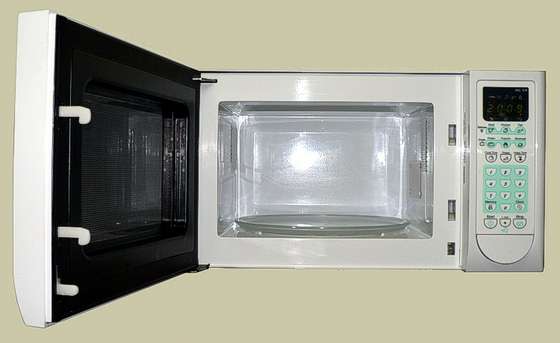
-The easiest way to kill an RFID, and be sure that it is dead, is to throw it in the microwave for 5 seconds. Doing this will literally melt the chip and antenna making it impossible for the chip to ever be read again. Unfortunately this method has a certain fire risk associated with it. Killing an RFID chip this way will also leave visible evidence that it has been tampered with, making it an unsuitable method for killing the RFID tag in passports. Doing this to a credit card will probably also screw with the magnetic strip on the back making it un-swipeable.

-The second, slightly more convert and less damaging, way to kill an RFID tag is by piercing the chip with a knife or other sharp object. This can only be done if you know exactly where the chip is located within the tag. This method also leaves visible evidence of intentional damage done to the chip, so it is unsuitable for passports.

-The third method is cutting the antenna very close to the chip. By doing this the chip will have no way of receiving electricity, or transmitting its signal back to the reader. This technique also leaves minimal signs of damage, so it would probably not be a good idea to use this on a passport.

-The last (and most covert) method for destroying a RFID tag is to hit it with a hammer. Just pick up any ordinary hammer and give the chip a few swift hard whacks. This will destroy the chip, and leave no evidence that the tag has been tampered with. This method is suitable for destroying the tags in passports, because there will be no proof that you intentionally destroyed the chip.

step 3How to block a RFID tag


step 3How to block a RFID tag


Luckily RFID tag signals can easily be blocked. This means that you will have the option to use the tag whenever you want, and prevent others from being able to read it.

The signal sent out by a RFID tag is easily blocked by metal. This means that placing the RFID tag inside of a Faraday cage will prevent the information from being read.

There are already two Instructables on how to build RFID blocking containers:

RFID Secure Wallet

Make a RFID Shielding Pouch Out of Trash

Or if you would rather spend money on something you could build, head over to Think Geek for their RFID blocking wallet and RFID blocking Passport Holder .